
Your website plays an important role in attracting customers, generating leads, and building trust in your business. Whether you operate a small business, an eCommerce store, or a growing company, your website needs regular attention to remain secure, functional, and competitive. However, many businesses overlook website maintenance until something goes wrong.
Slow-loading pages, broken contact forms, outdated content, security vulnerabilities, and unexpected downtime can negatively affect your customers’ experience and business performance. These problems may also reduce your search visibility and cost you valuable opportunities.
Recognizing the warning signs early helps you avoid expensive repairs and unnecessary business disruptions. Here are ten signs that indicate your business may need professional website maintenance services.
1. Your Website Takes Too Long to Load
Website speed directly affects how visitors interact with your business. If your pages take several seconds to load, potential customers may leave before exploring your products or services.
Slow performance can result from oversized images, outdated plugins, inefficient code, excessive scripts, or server-related issues. It can also affect mobile users who expect websites to load quickly.
You should regularly monitor page speed, optimize images, remove unnecessary scripts, and review server performance. If your website continues experiencing speed problems despite basic improvements, professional technical support can help identify and resolve the underlying issues.
2. Your Website Experiences Frequent Downtime
Does your website sometimes become unavailable without warning? Frequent downtime is a serious concern because customers cannot access your services, submit enquiries, or complete purchases when your website stops working.
Downtime may occur because of hosting problems, server overload, software conflicts, or security incidents.
You should use uptime monitoring tools to identify interruptions and investigate recurring problems. Professional maintenance can also help you monitor website availability, troubleshoot technical issues, and restore functionality more efficiently.
3. Your Website Software and Plugins Are Outdated
If you use WordPress, WooCommerce, or another content management system, regular software updates are essential. Outdated themes, plugins, and CMS versions can create security vulnerabilities and compatibility problems.
Ignoring updates may also cause important website features to stop working correctly.
You should maintain an update schedule, review software compatibility, and create a complete backup before applying major changes. A professional maintenance team can manage these updates while checking whether your website continues functioning properly afterward.
4. Your Website Has Broken Links and Error Pages
Broken links, missing pages, and 404 errors can frustrate visitors and interrupt their navigation. Imagine a potential customer clicking your service link only to discover that the page no longer exists.
These problems can also make it harder for search engines to crawl and understand your website.
Regularly check internal links, navigation menus, redirects, and important landing pages. If you manage a large website, automated broken-link scanning and technical maintenance can help you identify problems before they affect more visitors.
5. Your Website Forms Are Not Generating Enquiries
Contact forms, quotation requests, newsletter subscriptions, and registration forms are important business tools. If these features stop sending notifications or submitting information correctly, you could lose valuable leads without realizing it.
Common causes include email delivery problems, outdated plugins, incorrect form settings, and server configuration issues.
Test every important form regularly using different devices. Confirm that submissions are received, confirmation messages appear, and notification emails reach the correct inbox. Professional troubleshooting can help restore these essential conversion features.
6. Your Website Has Security Vulnerabilities
Website security should never be treated as an optional responsibility. Weak passwords, outdated software, missing security updates, and poorly configured hosting environments can expose your website to cyber threats.
Warning signs may include unexpected redirects, suspicious administrator accounts, unusual website activity, malware warnings, or unfamiliar content appearing on your pages.
You should install security updates, enable SSL protection, use strong authentication, and maintain reliable backups. Professional website maintenance services can also include security monitoring, malware detection, vulnerability checks, and recovery support.
7. Your Website Content Is Outdated
Your website should accurately represent your current business, products, services, and contact information. Outdated pricing, discontinued products, old promotions, incorrect business details, and expired announcements can confuse potential customers.
For businesses targeting local customers, incorrect addresses, telephone numbers, or operating information can create additional problems.
Review your website content regularly. Update service descriptions, business information, images, testimonials, and important announcements. Keeping your content accurate helps establish credibility and provides visitors with useful information when making purchasing decisions.
8. Your Website Does Not Work Properly on Mobile Devices
A website that looks professional on desktop computers may still perform poorly on smartphones and tablets. Small text, overlapping elements, difficult navigation, and improperly displayed images can discourage mobile visitors.
Check your website across different screen sizes and browsers. Pay particular attention to navigation menus, contact buttons, forms, and checkout processes.
If mobile usability problems continue, professional technical support can help improve responsive layouts, fix display issues, and create a smoother experience for your visitors.
9. Your Website Traffic and Search Visibility Are Declining
A sudden or gradual decline in organic traffic may indicate technical problems affecting your website. Broken redirects, crawling errors, slow pages, accidental noindex settings, and inaccessible content can interfere with search engine visibility.
However, traffic declines can also result from algorithm changes, increased competition, or changing search demand. Therefore, you should investigate before assuming maintenance is the only issue.
Monitor Google Search Console, website analytics, indexing status, and important landing pages. Regular technical checks help identify website-related problems that may affect your organic search performance.
10. You Spend Too Much Time Fixing Website Problems
If you regularly spend business hours troubleshooting errors, updating plugins, fixing layouts, or managing backups, website maintenance may be taking attention away from your primary responsibilities.
Managing these tasks without sufficient technical knowledge can also create additional risks, especially when working with databases, hosting environments, and custom website functionality.
A structured maintenance arrangement helps you manage recurring technical responsibilities without handling every issue yourself. Depending on your website requirements, professional Website Maintenance Packages can provide ongoing support for updates, backups, monitoring, security, and performance improvements.
How Can Professional Website Maintenance Services Help Your Business?
Professional maintenance is about more than fixing errors after they appear. It involves regularly monitoring your website, identifying potential problems, and maintaining the technical systems that support your online operations.
A reliable maintenance approach may include:
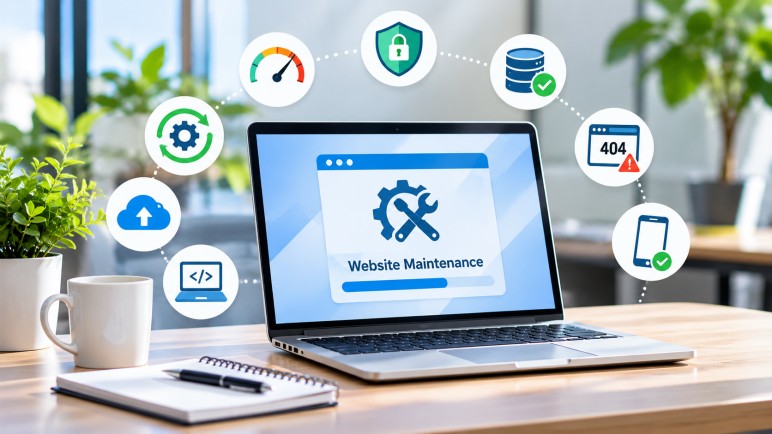
- Security monitoring: Identifying vulnerabilities and suspicious website activity.
- Software updates: Maintaining CMS platforms, plugins, and themes.
- Regular backups: Protecting website files and databases against unexpected problems.
- Performance optimization: Improving loading speed and overall website functionality.
- Uptime monitoring: Identifying website availability issues.
- Technical troubleshooting: Resolving broken links, errors, and functionality problems.
- Content updates: Keeping important website information accurate and relevant.
Choosing a suitable Monthly Website Maintenance Package can help you manage these recurring responsibilities through an organized maintenance process. The right service level should depend on your website platform, complexity, traffic, security requirements, and business objectives.
Choose Professional Website Maintenance Support Before Problems Grow
Your website is an important business asset, and ignoring its maintenance can create unnecessary risks. Slow performance, outdated software, broken forms, security concerns, and recurring downtime are all signs that your website needs professional attention.
JDM Web Technologies provides website maintenance solutions covering website updates, security, backups, performance optimization, monitoring, and technical support. The company also offers different maintenance options for business websites and eCommerce platforms.
With experience serving businesses across different industries and locations, JDM Web Technologies helps businesses manage their website maintenance requirements and maintain a dependable online presence.
Ready to improve your website’s performance and reliability?
Don’t wait until a technical problem affects your customers or business operations. Contact JDM Web Technologies for professional website maintenance assistance and discuss a maintenance solution that matches your website’s needs and budget.
Frequently Asked Questions (FAQs)
1. How do I know if my business needs professional website maintenance?
Frequent downtime, slow loading speeds, outdated plugins, broken links, security warnings, and malfunctioning contact forms are common signs that your website needs professional maintenance support.
2. How often should a business website be maintained?
Your website should be monitored regularly, with software updates, security checks, backups, and performance reviews scheduled according to its complexity, platform, and business requirements.
3. What do professional website maintenance services include?
They typically include software updates, security monitoring, website backups, uptime monitoring, speed optimization, broken-link checks, content updates, and technical troubleshooting.
4. Can website maintenance improve SEO performance?
Yes. Maintenance can address technical issues such as slow loading, broken links, indexing problems, and mobile usability errors that may negatively affect search engine visibility.
5. Are monthly website maintenance packages worth the investment?
Yes. A suitable monthly package helps you manage recurring technical tasks, reduce preventable website problems, protect important data, and maintain a reliable experience for your visitors.